How to use Why We Fail
Why We Fail looks at raid pull logs as a raid. Paste one Warcraft Logs report and it groups every pull in it by boss and session, then shows who died when and in which phase, and how the raid's cooldowns were used. Further down the home screen, Raid Composition Comparison finds ranked kill logs that used the same healer composition as yours.
1. Analyze Our Raid: paste a report
- Paste a Warcraft Logs report URL (
https://www.warcraftlogs.com/reports/CODE) and press "Analyze". The report code alone works too. A single-fight address (#fight=N) opens that pull directly. - Only public reports can be read. Private or deleted reports come back as not found.
- Reports you have opened stay under "Recent" in this browser.
2. Boss → session → pull
-
The bosses in the report are listed (newest · oldest · hardest · easiest). Pick one to see its pulls.
-
Sessions — a gap of 6 hours or more starts a new session (not calendar days). A boss pulled across several nights can be narrowed with the session chips.
-
Session recap — sums up the selected session's pulls in one block: pull count, lowest boss HP left, total fight time, most common end, boss HP left per pull and the last hit taken. Expand Summary by member to see each raider's deaths across the session. "Deaths counted" (first only · first 3 · first 5 · all) sets how many deaths per pull are counted. "Load consumable use" fills in the combat potion, health potion and healthstone columns of the member summary. Click a point or cell to open that pull. Click the "Session recap" title to collapse the whole block (it stays collapsed in this browser).
-
Pull list — sort by date, boss % (lowest remaining health first) or duration. Kills and wipes are marked with chips.
-
Death distribution — pulls that reached the same phase are grouped and their deaths overlaid on one time axis, so the spots where you keep dying stand out.
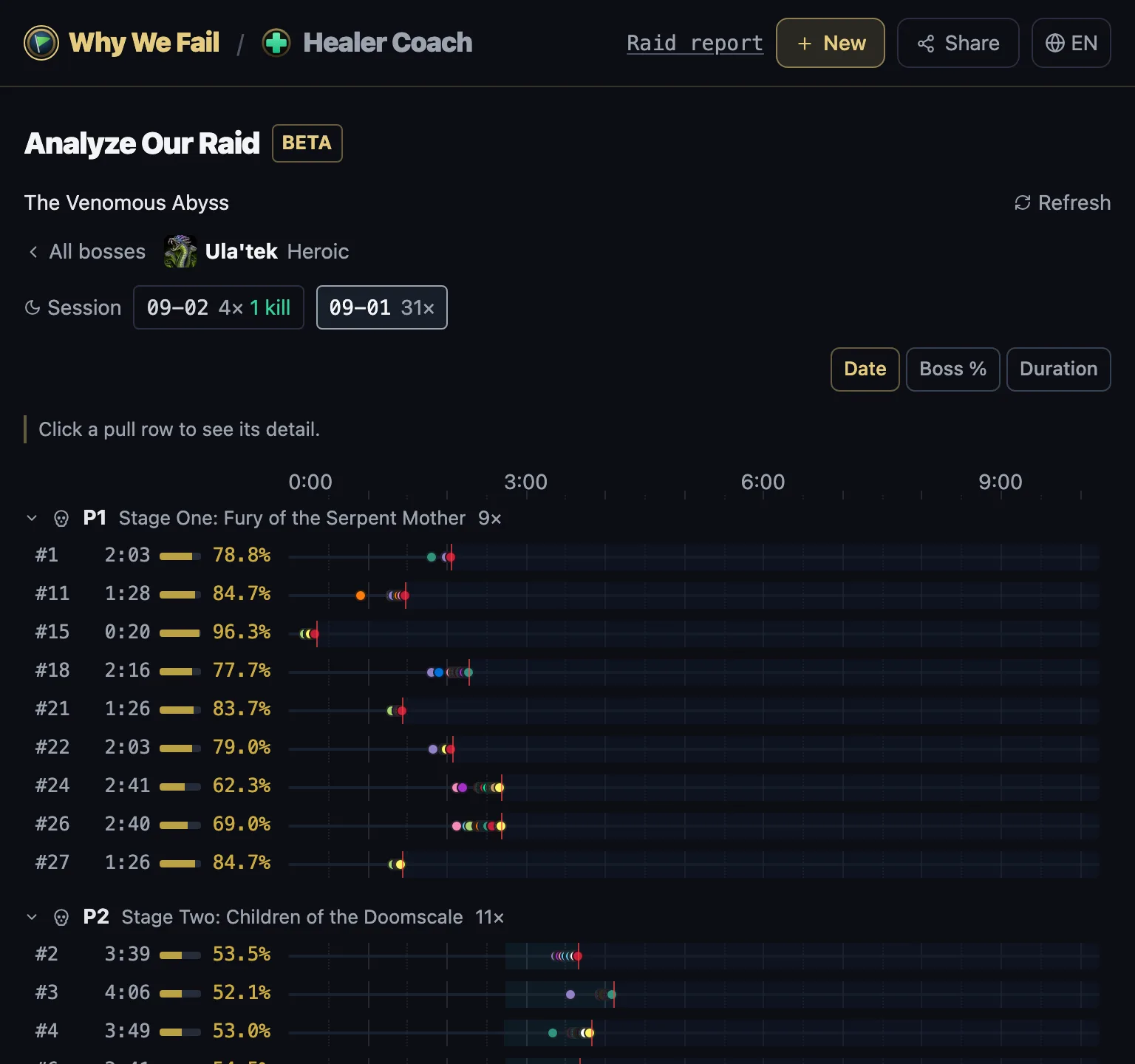
Ula'tek Heroic · session 1 · deaths of 31 pulls by phase -
Refresh — while the raid is still going (live logging), "Refresh" pulls in new attempts. Pulls that arrived since your last refresh have their number in bold.
3. Pull detail
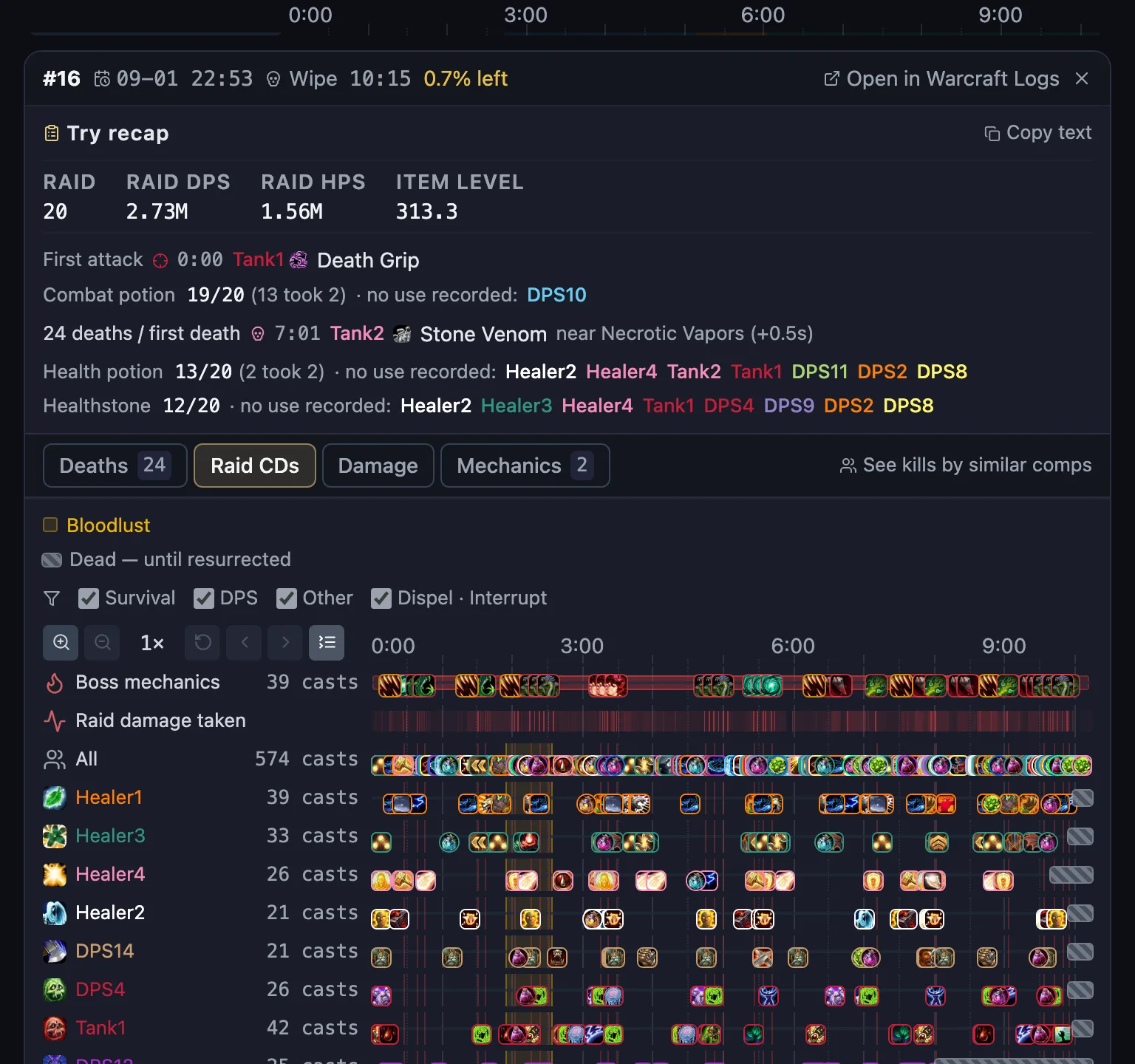
Click a pull row to open its detail. The pull recap and the tab row sit on top, and the selected tab's content follows below.
-
Deaths — a recap of the last 10 seconds before each raider died.
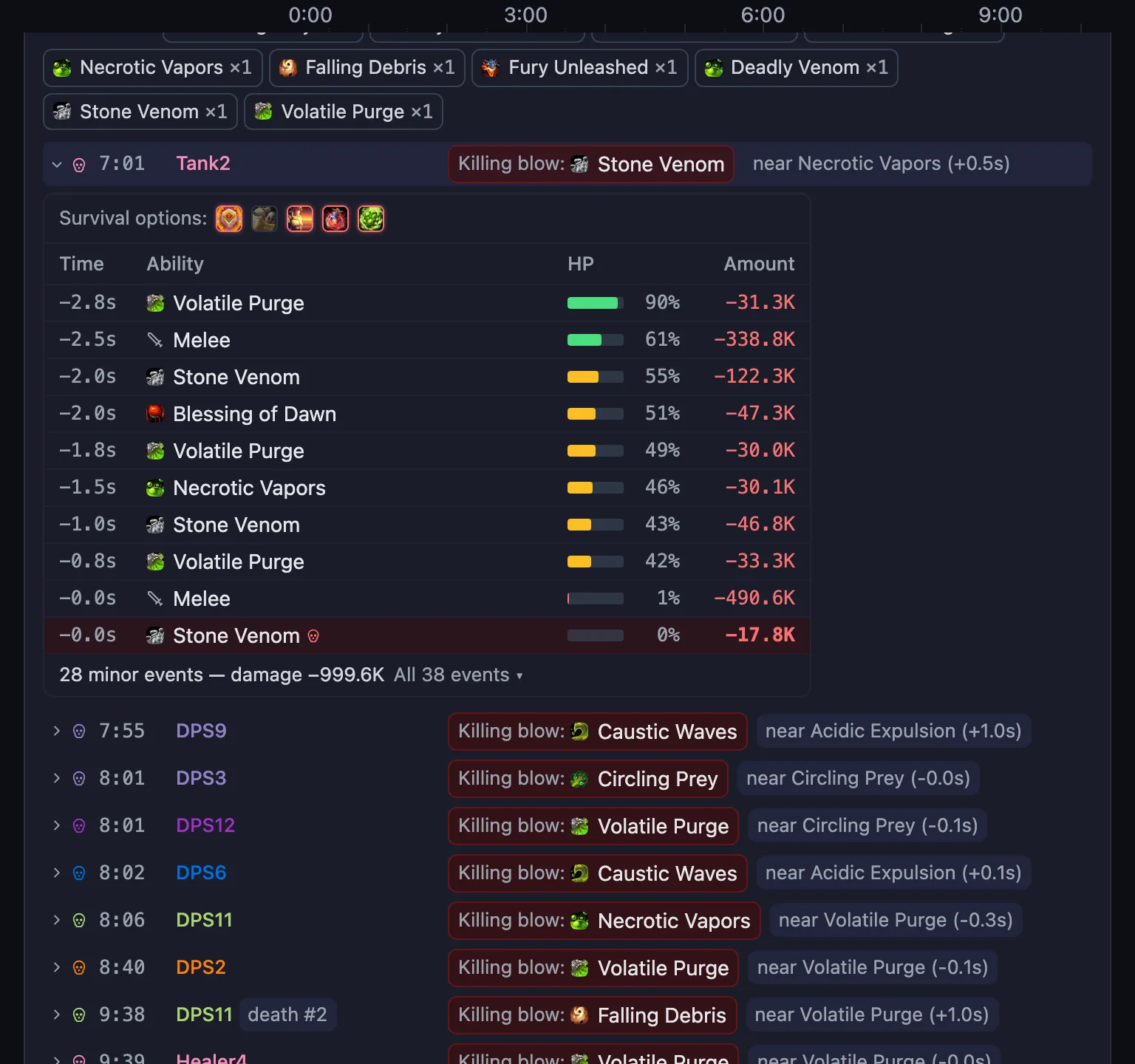
Pull #16 · Deaths tab · the first death (Tank2) expanded to its last 10 seconds -
Raid CDs — healer externals, DPS major cooldowns, trinkets, potions, dispels and interrupts on a time axis, one row per player. On bosses with a reviewed mechanic catalog, a boss-mechanic lane and a raid-damage intensity strip appear alongside.
-
Damage — a per-mob damage table.
-
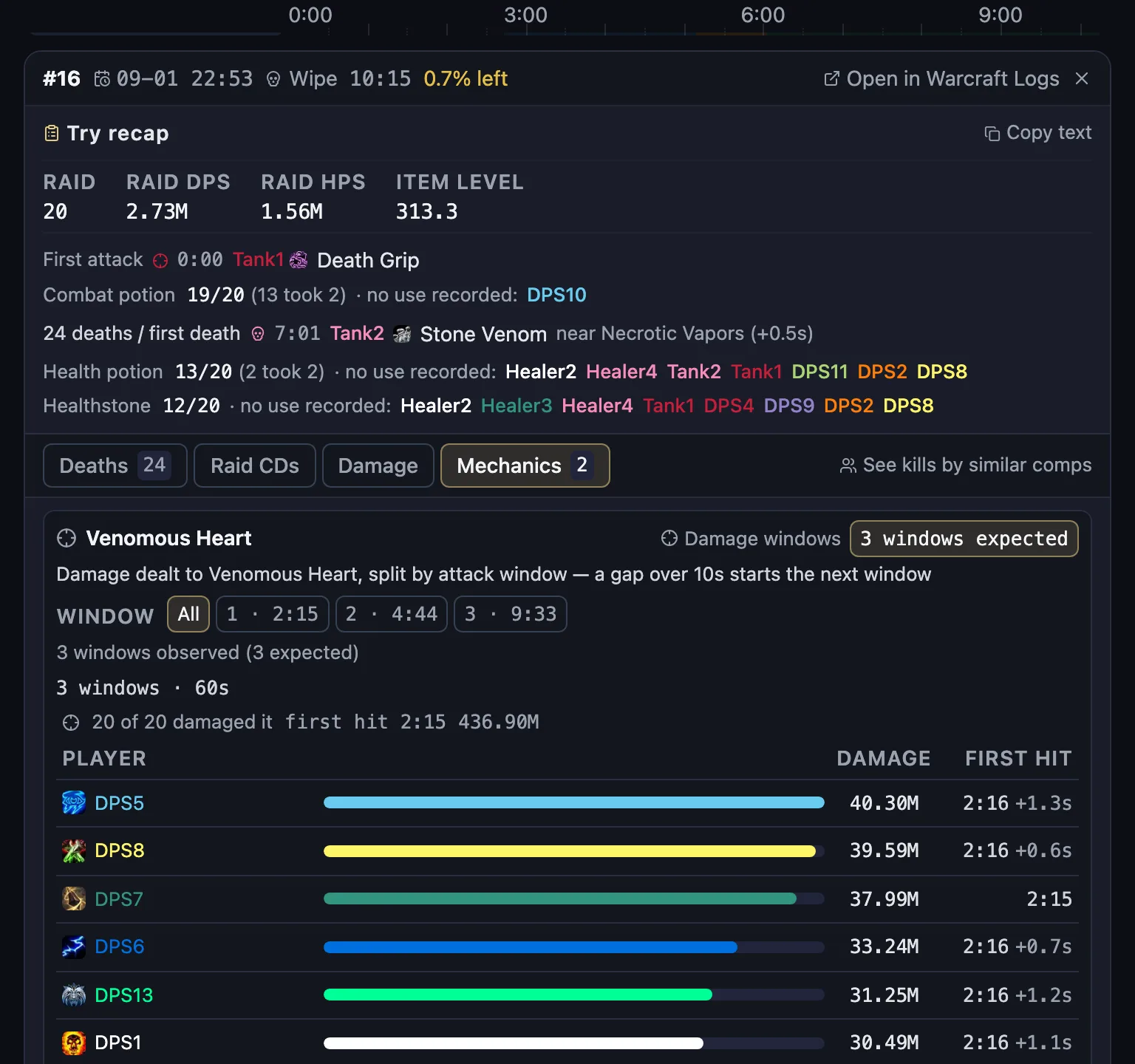
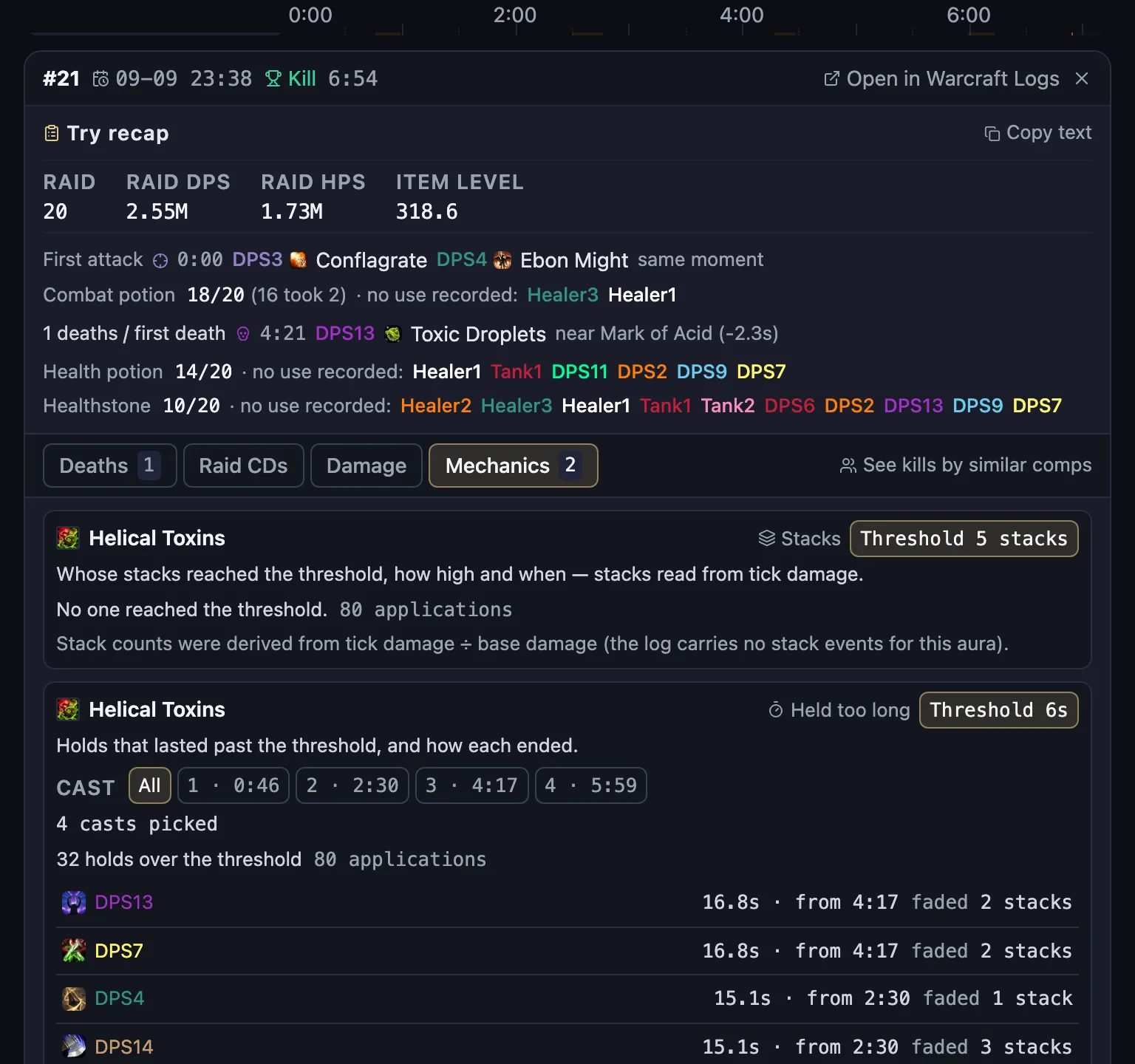
Mechanics — this tab appears only on bosses with registered mechanic rules. It shows who handled which mechanic, and how, rule by rule.
-
Pull recap — copy the summary as text and paste it into raid chat or Discord.
-
"See kills by similar comps" opens the composition comparison below with this pull's tank/healer composition and item-level range.
Mechanics
On bosses with registered rules, each mechanic gets its own card. Ula'tek's Heart of Venom shows who dealt how much in each attack window; the Entombed Sentinels' Spiraling Toxin shows who reached the stack threshold and who held it longer than the reference time.
4. Raid Composition Comparison
-
Pick a boss and difficulty. Adoption shows how often each healer composition appears in the sample.
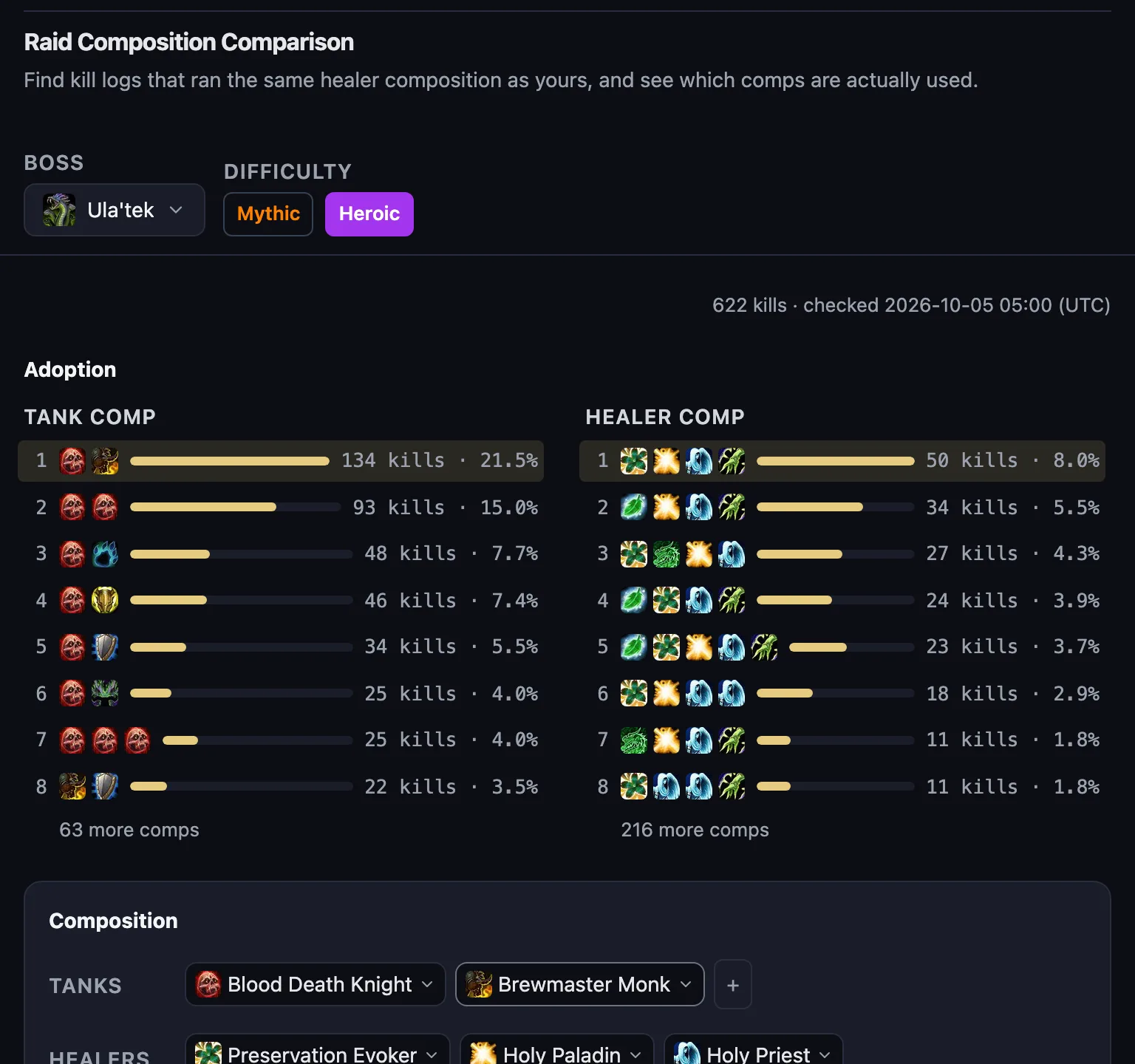
Ula'tek Heroic · adoption chart and composition picker -
Composition — tap the tank and healer slots to build your composition.
-
Matching logs — chips go from exact match → healers match → one healer differs → more/fewer healers, closest kills first. Click a log to expand that kill's raid cooldown rotation, with a Warcraft Logs link and "Open in Analyze Our Raid".
-
Advanced search — at the bottom of the composition card, narrow by item level. The item-level ladder shows kill times at each item level.
-
Sample — not every kill: the top 50 ranked kills per healer spec. Less-played specs therefore look more common than they are, and an exact tank + healer match is usually a single log. The collection time is on the sample card.
5. Sharing · going to Healer Coach
- Share — "Share" in the header copies a link that carries what you are looking at (boss · composition · pull).
- Healer Coach — the right-hand mark in the header. It compares one healer's log against a top log side by side — to compare a healer from one of these kill logs, paste that log URL into Healer Coach.